Spinner Wheel Maker – Spin to Decide & Pick a Winner
Segments
WheelSpinGo is an extremely easy-to-use decision wheel and spinner platform that offers a fun solution whenever you can't make up your mind. Create your own wheel in just a few steps, spin the wheel and leave your toughest choices to chance. Thanks to our simple, clean interface, entering your options and building your wheel takes only seconds. Once it's ready, just one click to spin the wheel and get your random result. Whether for a random draw or your everyday decisions, it's a completely free and fair method.
What's more, with our AI-powered wheel generator, you can simply type a topic and let AI create the segments for you automatically! With AI wheel generation, when you type a topic like "breakfast menu options" or "weekend activities", the system automatically creates suitable options for you. Then you can spin the wheel to get your result.
You can instantly share the wheels you create via social media or a link, so you can enjoy the fun together with your friends! Anyone can spin the wheels you share and get their own results.
How to Create and Spin a Wheel?
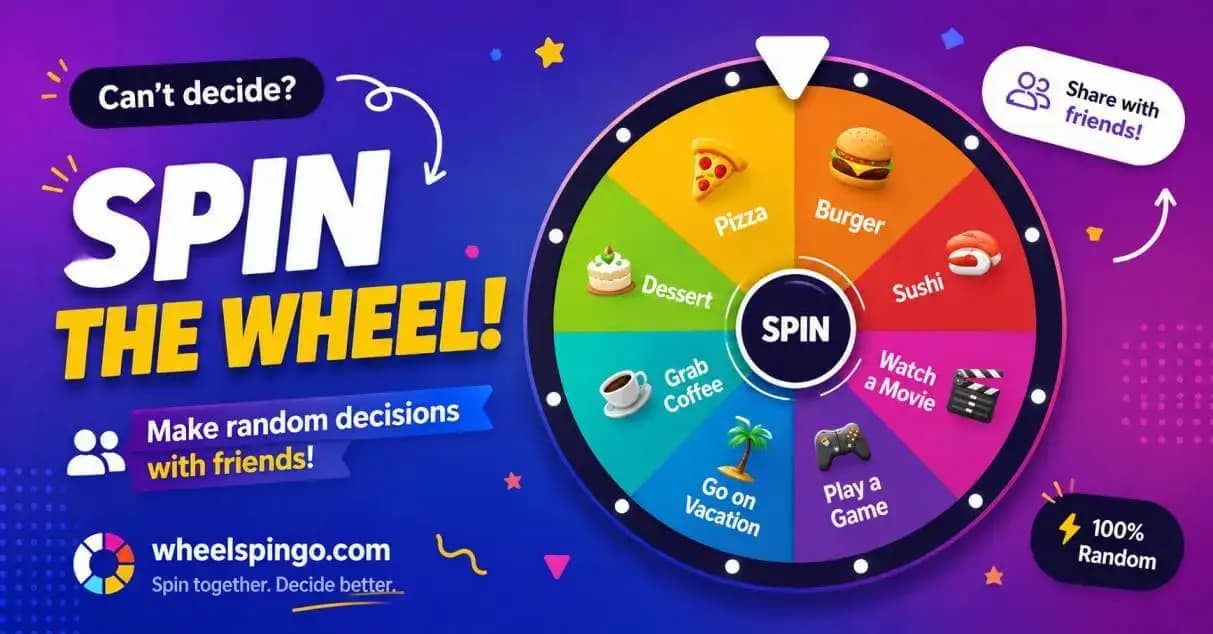
Decide on Your Options
Decide on all the options you want to add to your wheel (names, words or other choices) and enter them. You can add two or more options. Use the wheel maker section above to add your segments and customize their colors.
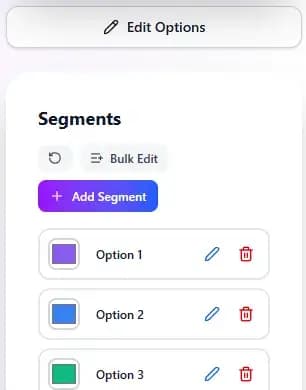
Build Your Wheel
Build your wheel to produce a random result from the options you entered. The site automatically displays your options as colorful wheel slices. You can pick any color for each segment and customize your wheel visually.
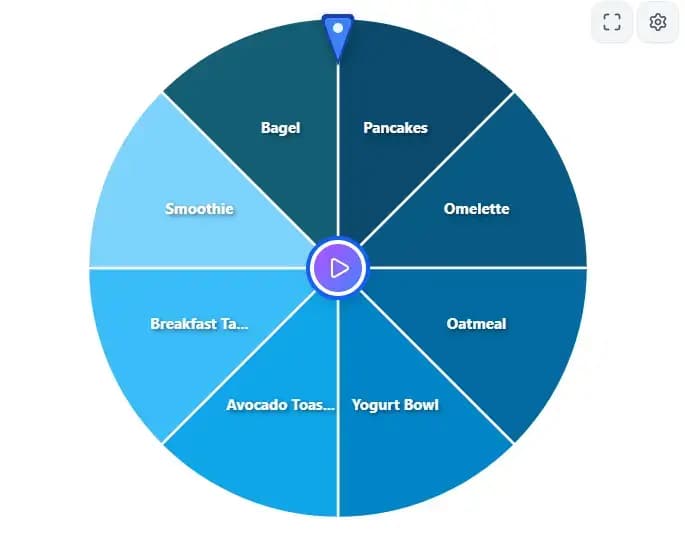
Spin the Wheel and See the Result
Once the wheel is ready, spin the wheel by clicking the button in the center. The spinning wheel stops at a random point and shows the winning option. You'll enjoy a realistic wheel spinning experience with smooth animations. You can spin the wheel as many times as you like and get different results each time. Spinning is completely random and fair — every option has an equal chance to win.
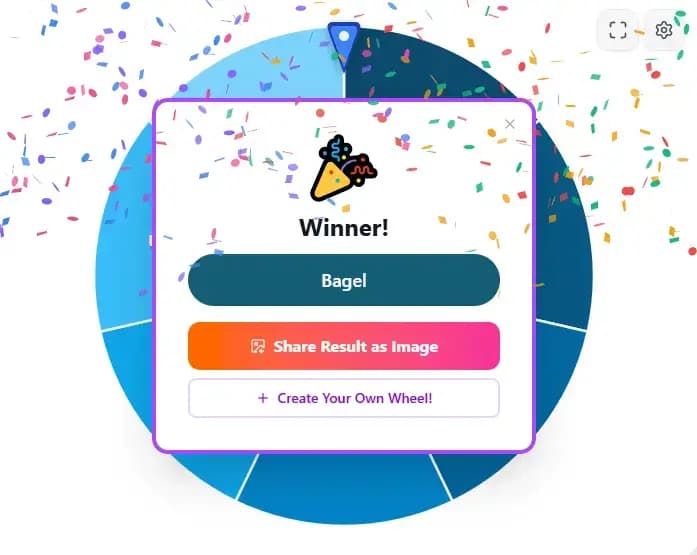
Share the Result
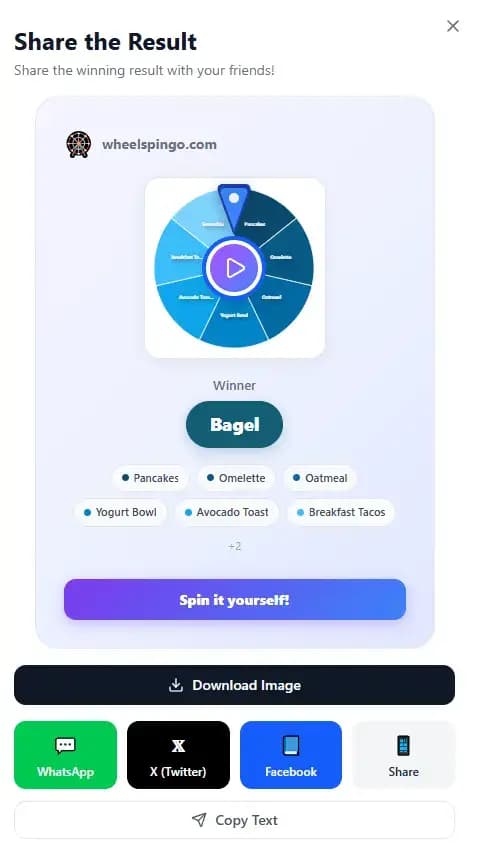
Use the sharing tools provided by the site to share your decision or the wheel you created with friends. For example, you can copy the result or share the special link of your wheel on social media. Easy sharing is one of WheelSpinGo's most important features, so your loved ones can see and use the same wheel.
Learn Step by Step with the Video Guide
We show how to create a wheel and all the features in our video.
Customize Your Wheel Exactly the Way You Want
Control everything from colors to animations, fullscreen to tournament mode.
7 Color Themes
Pastel, Neon, Dark, Rainbow and more. Change all your wheel's colors with a single click.
Celebration Animations
Celebrate the winner in style with confetti, fireworks or a sparkle effect.
Tournament Mode
The winner is eliminated automatically and play continues down to the final two. Perfect for classes and events.
3-2-1 Countdown
An exciting countdown before the wheel spins. Ideal for live presentations.
Fullscreen Mode
Bring the wheel to the big screen. Looks great in projection and presentation settings.
Speed & Font Control
Adjust the animation speed and choose small, medium or large text size.
Auto-Remove Winner
The winner is removed from the wheel on each spin, but you can bring them back anytime.
AI Support
Type a topic and let AI generate the wheel options for you automatically.
Easy Sharing
Share the wheel you created with one click. Your friends can use the same wheel too.
Bulk Editing
Paste dozens of options at once. Write one option per line to fill your wheel instantly.
Embed on Your Site
Embed your wheel on your own website via iframe. Works on WordPress, Wix and every platform.
OBS / Streamlabs Support
Ready for streamers! Add it as a Browser Source and spin the wheel live with the Space key.
🤖 Create a Wheel with AI
With our AI-powered wheel generator, you no longer need to add every option manually one by one!
Just type a topic and let AI handle the rest. For example, when you type "breakfast menu options", the system automatically creates suitable options like eggs, cheese, olives and jam for you. You can immediately spin the wheel you created with AI to get your result.
Spinning works the same way on wheels you create with AI — every option has an equal chance to win. Save time and create more creative wheels with the AI-powered wheel generator.
Use Cases
Our spinner wheel app can help you in many areas of life. Here are some popular scenarios where you can use the decision wheel:
Food Choices
Can't decide what to eat for dinner? Add your food options and spin the wheel to get an instant decision. Ideal for picking a restaurant, dessert and more.
Fun and Games
Perfect for party games, truth-or-dare or group activities. Have fun moments with wheel spinning and choose your activities at random.
Education and Teaching
Use it to assign tasks to students in class, ask questions or make random selections. A fun and fair method for students.
Work and Professional
For distributing tasks within a team, setting the order of a meeting agenda or making fair choices. Make unbiased decisions by spinning the wheel.
Giveaways and Prizes
A fair method for picking winners, distributing prizes and running giveaways. Add the names and spin the wheel to find the lucky winner. The most practical tool for an online random draw.
Everyday Decisions
Movie choices, holiday destinations, shopping decisions and more. Find an instant solution with wheel spinning whenever you're undecided.
Sports and Fitness
For choosing an exercise program, deciding the type of workout or picking sports activities. Set your daily sports routine by spinning the wheel.
Creative Projects
For color choices, setting themes and design decisions. Find inspiration in your creative process with wheel spinning.
Social Events
For group activities, event selection and social decisions. Enjoy fun moments with your friends by spinning the wheel together.
Live Streaming and Content
Add the wheel to your stream with OBS/Streamlabs on Twitch, YouTube and other platforms. Spin it live with the Space key for interactive giveaways, game selection or a penalty wheel. You can also embed your wheel on your website with an iframe.
Ready-Made Wheels and Templates
Yes-No Wheel
An ideal wheel for yes/no questions when you're undecided. With this two-option wheel, you can get a random "Yes" or "No" answer to your questions.
Yes-no wheel →Color Wheel
For picking a random color in design, games or everyday choices. When you're bored of your palette, find inspiration by spinning the wheel.
Color wheel →"What Should I Eat?" Wheel
A lifesaver for those who struggle to choose food. Add different food options and spin the wheel to decide what to eat for dinner. Get an instant decision with wheel spinning!
What to eat wheel templates →Alphabet Wheel
Pick a random letter with a fun alphabet wheel. Especially useful in games or education, this wheel makes learning the alphabet fun too.
Alphabet wheel templates →Dice Wheel
For getting a random number or result with the feel of rolling dice. Get fair and fun results on game nights and giveaways by spinning the wheel.
Dice wheel →Prize Wheel
Perfect for giveaways and gifts. A practical wheel solution you can use to pick winners or distribute prizes.
Prize and reward wheel templates →Name Picker Wheel
Ideal for distributing tasks within a team or picking a winner in giveaways. Enter the names for a random draw and spin the wheel to make a fair choice. You get completely random and fair results with wheel spinning.
Name picker wheel →What Is a Decision Wheel?
A decision wheel (also known as a spinner) is a fun and interactive tool that helps you when you're undecided between multiple options. Think of it like a digital dice-rolling mechanism. By spinning the wheel you can make a completely random selection and reach an unbiased result. Spinning is extremely simple — one click and the wheel turns and shows you the winner. This method reduces decision-making stress and makes the process more enjoyable by gamifying it. The wheel spinning experience is backed by smooth animations and a realistic physics simulation.
What is a decision wheel good for?
It can be used in many areas, from choosing food or activities in daily life to making decisions in party games (such as Truth or Dare). You can even use this method to distribute tasks within a team or pick a winner in giveaways. You can make a fair choice among names with an online random draw and reach an instant fair decision by spinning the wheel. In short, a decision wheel is a practical solution you can turn to whenever you need to make a random choice in many areas of life. Thanks to wheel spinning, you can make your decisions in an unbiased and fun way.
Frequently Asked Questions
How do I create a wheel?
Add your segments from the wheel maker section above. Set a name and color for each segment. You can add as many segments as you like. You can create segments automatically using the AI wheel generation feature. Then spin the wheel by clicking the button in the center. Spinning shows your result instantly.
Can I share the wheel?
Yes! You can share the wheel you created on social media by clicking the "Share" button, or copy its special link to share with friends. Thanks to the sharing feature, your loved ones can use the same wheel too.
Is it free?
Yes, WheelSpinGo is completely free. There's no need to create an account to build a spinner — you can create and start using a wheel instantly.
How many segments can I add?
You can add an unlimited number of segments. Starting from two segments, you can add as many options as you like and customize your wheel. You can create more options using AI wheel generation.
How does the AI feature work?
With our AI-powered wheel generator, when you type a topic AI automatically creates suitable options for you. For example, if you type "weekend activities", the system automatically adds options like cinema, hiking and picnic. Then you can make a random selection by spinning the wheel.
How many times can I spin the wheel?
You can repeat wheel spinning as many times as you like. You get a different result on each spin because every option has a completely equal chance to win. You'll have a realistic experience with smooth animations while spinning.
How do I run an online random draw?
For a random draw, add the participant names or options to the wheel, then spin the wheel to determine the winner. With WheelSpinGo, an online random draw is completely random and fair — every participant has an equal chance to win. You can use it whether you want to run a giveaway or do a name draw.
Is the wheel really random?
Yes! Instead of the standard Math.random() we use cryptographically secure crypto.getRandomValues(). This is the same technology used in banking and encryption systems. We're so confident in the fairness of our results that we built a tool so you can test it yourself. Run a 10,000-spin simulation and prove it for yourself.
Ready? Get Started Now!
Create your own spinner wheel right away and leave your decisions to chance – try it now! It's free and there's no need to create an account; you can build a wheel and spin it instantly. Save time by trying our AI-powered wheel generator, then spin the wheel to get your result.
Create and Spin a Wheel